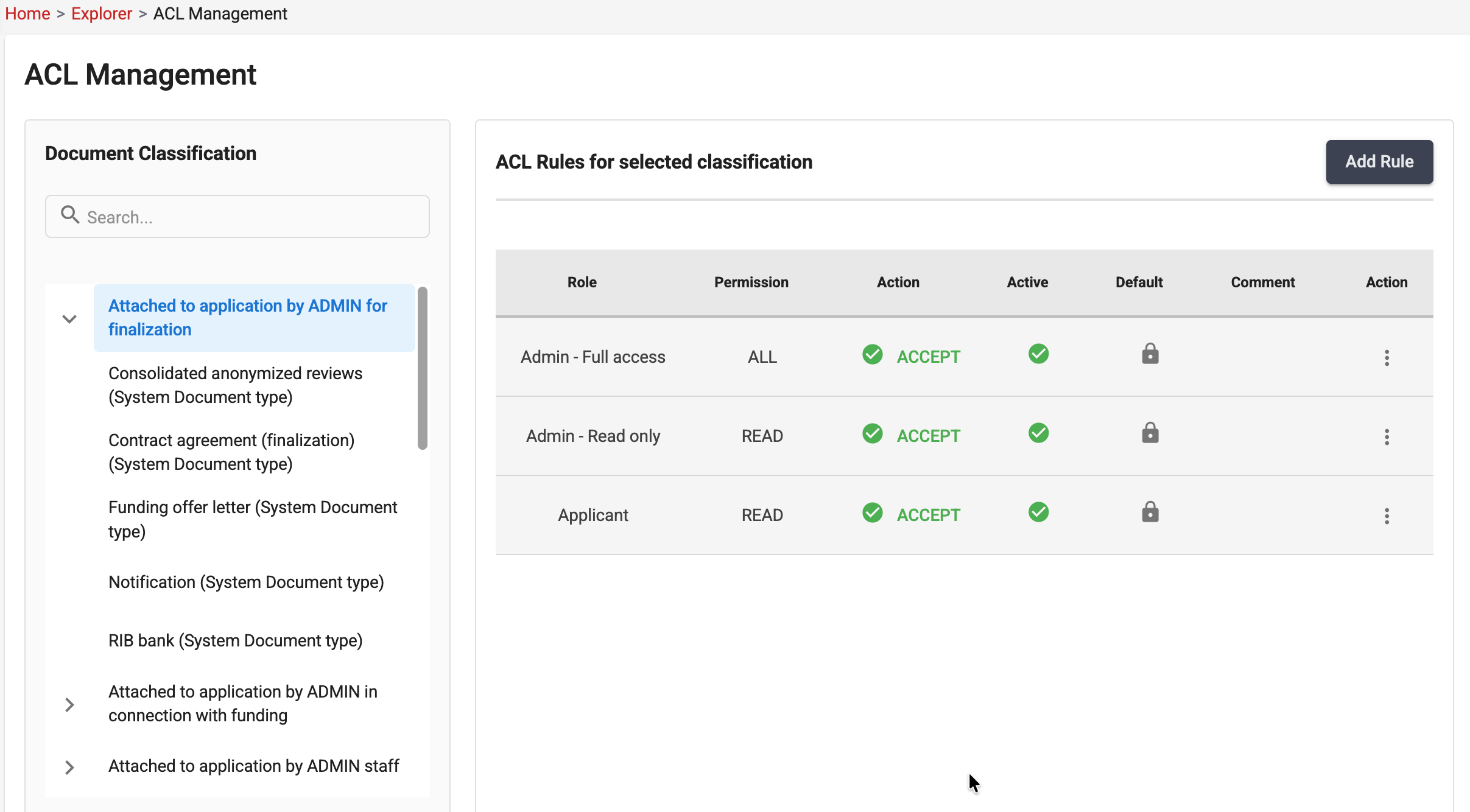
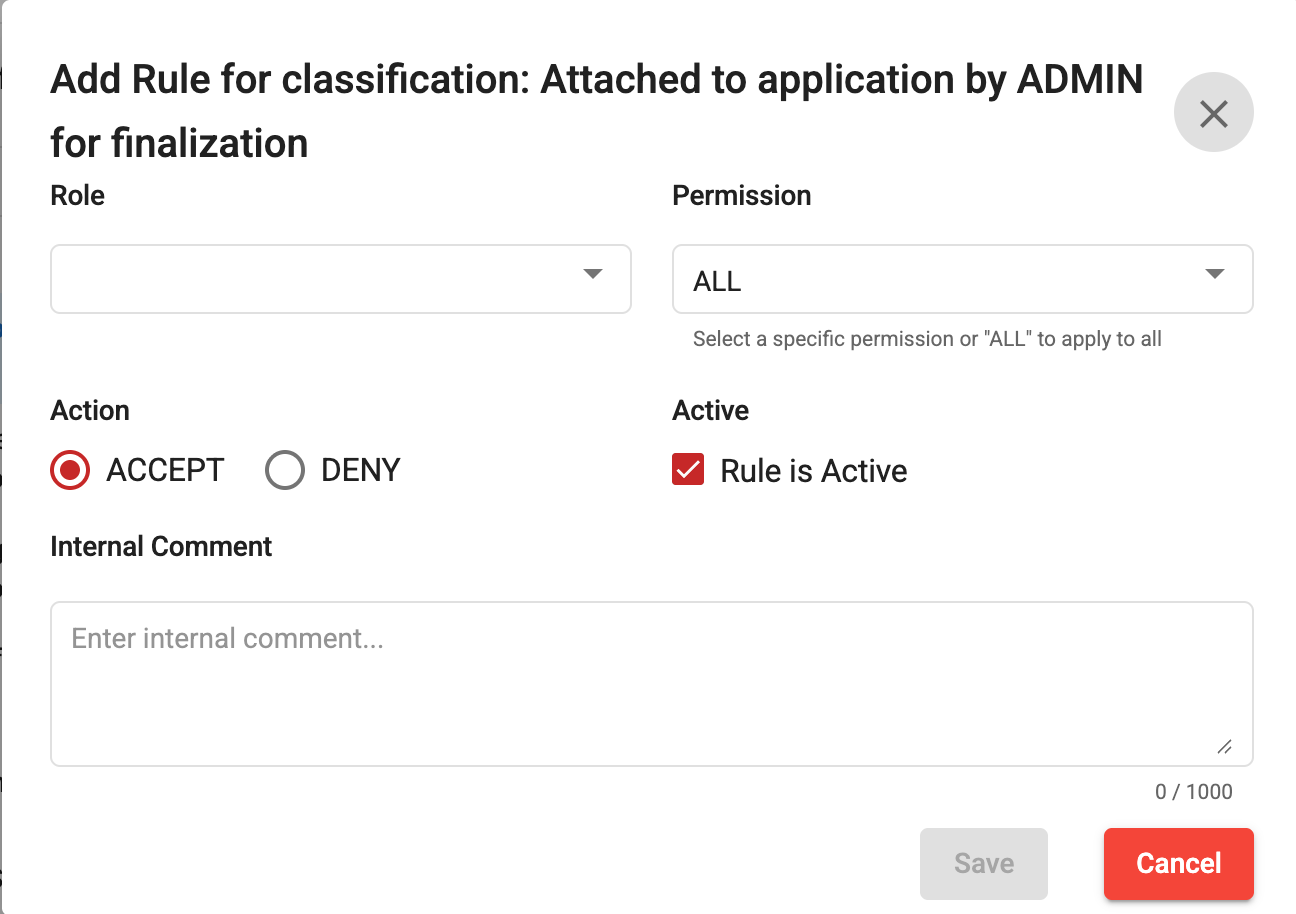
The Access Control List (ACL) system is used to manage and enforce access permissions on documents. It ensures that only authorized users, groups, or roles can access and perform actions on specific documents.
Each document is associated with an ACL that defines:
| Permission | Description |
|---|---|
| Read | Allows users to view the document. |
| Write | Allows users to modify the document content, if applicable in the screen. |
| Delete | Allows users to delete the document, if applicable in the screen. |
Documents may inherit permissions from higher-level entities, such as:
When a document-specific ACL is configured, it may override or complement inherited permissions depending on the system configuration.
Each document is automatically assigned a set of default ACL rules when it is created.
These default rules are mandatory and cannot be permanently removed from the document’s ACL configuration. However, they can be disabled when access restrictions are required.
This approach ensures that a baseline security model is always maintained while still providing flexibility to adapt access permissions to specific business needs.
Note: Disabled default ACL rules remain visible in the ACL configuration for auditability and can be re-enabled at any time by authorized users.
When a user attempts to access a document:
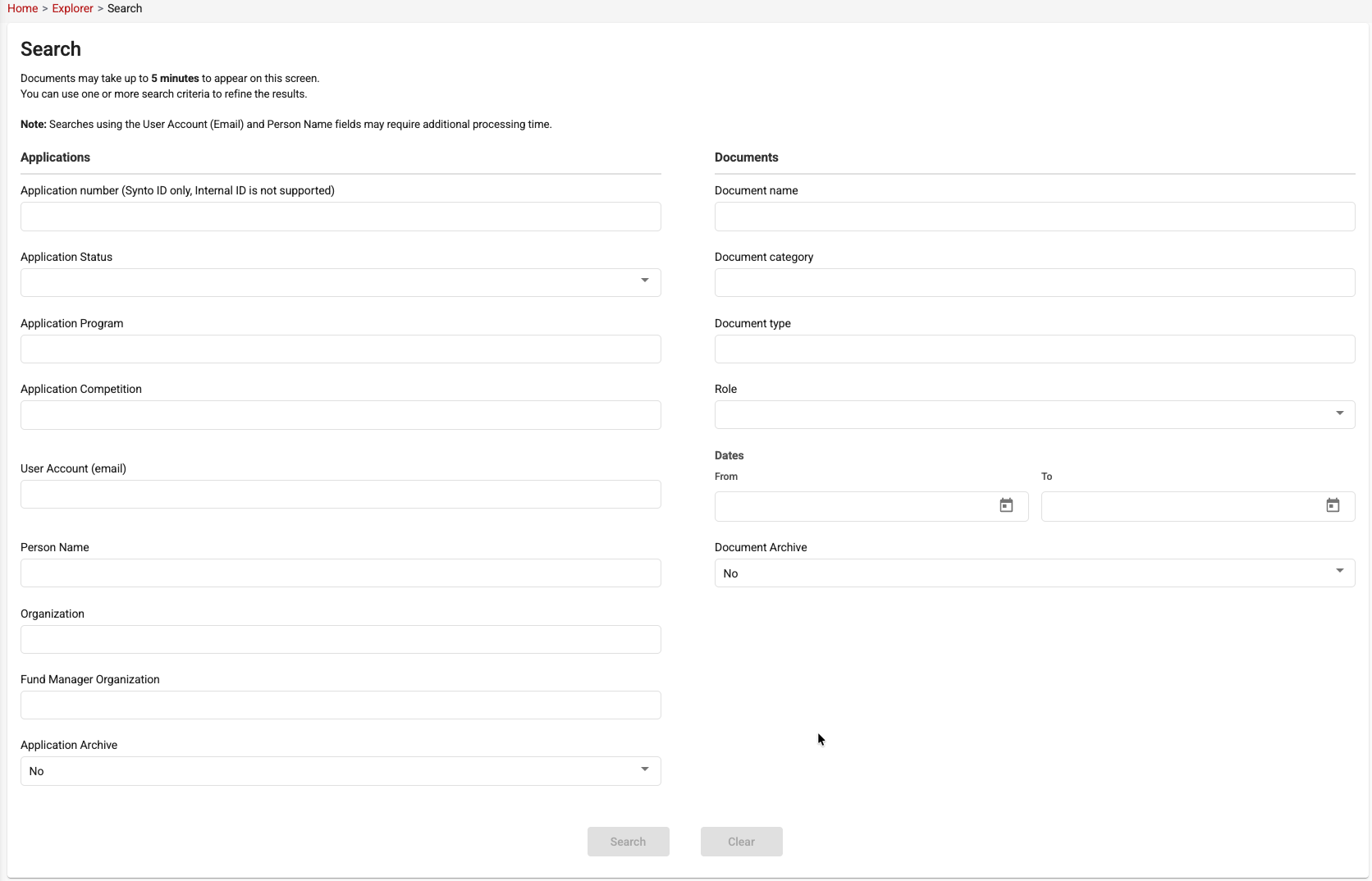
The Document Search screen provides advanced search capabilities to help users quickly locate documents and applications within the system.
Users can search using one or multiple criteria to refine the results. Search criteria are grouped into two main sections:
The following filters can be used to search for documents associated with a specific application:
The following filters can be used to locate specific documents:
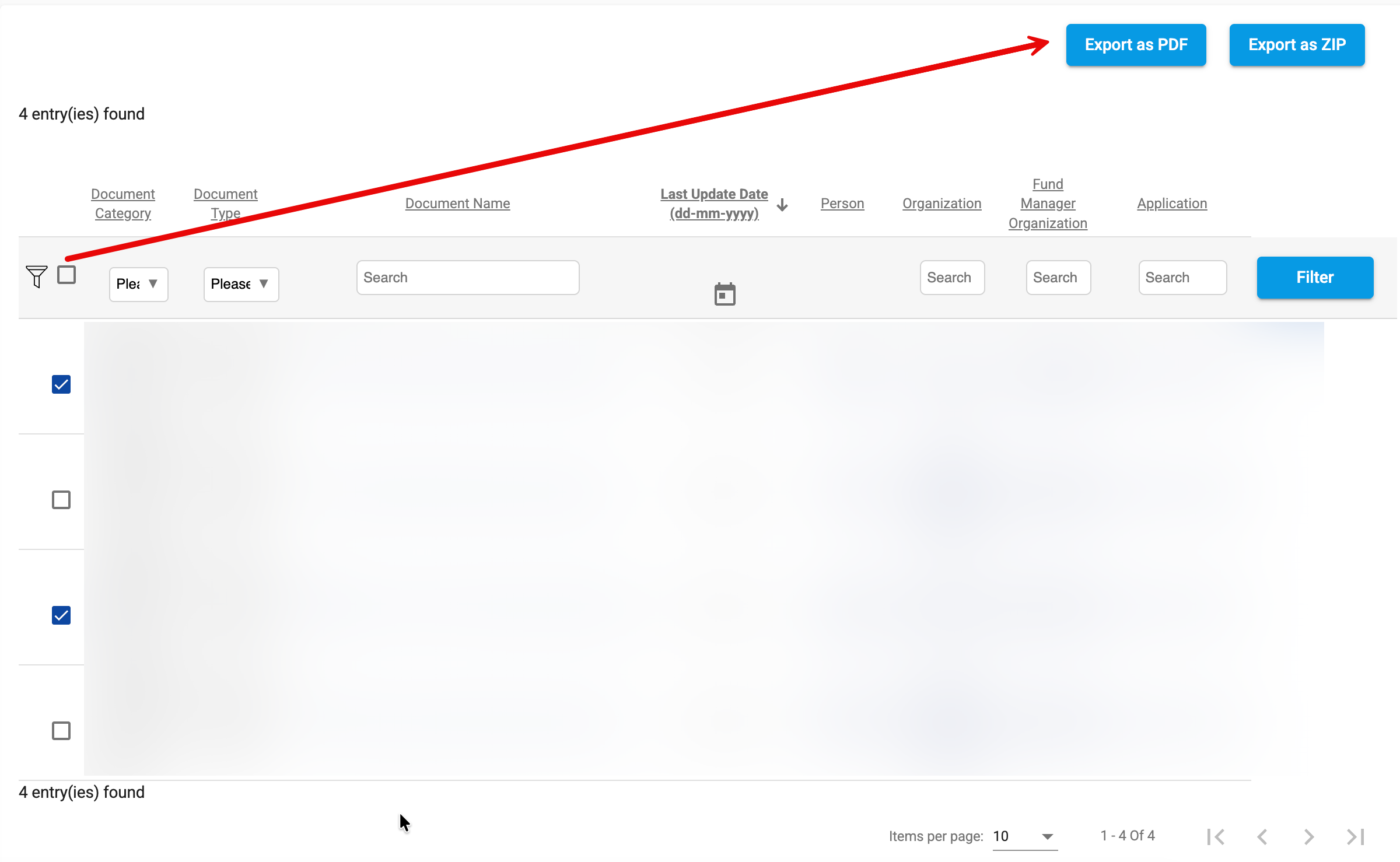
Search results are displayed in a tabular format and provide key information about each document, including:
Users can further refine the displayed results using the filters available at the top of each column.
The Document Name and related entity references are clickable links that allow users to navigate directly to the document or to the entity where the document is associated (for example, an application, person, or organization record).
This functionality provides a quick and efficient way to understand the context of a document and access the related records without performing additional searches.
Search results also support sorting, filtering, and pagination to facilitate navigation through large result sets.
Search results support exporting selected documents in either PDF or ZIP format.
The PDF export option attempts to merge the selected documents into a single PDF file. This functionality is intended for smaller document sets.
Important Notes:
For large document selections, the ZIP export option is recommended.
ZIP exports package the selected files without attempting to merge them, providing a more reliable solution for high-volume document extractions and avoiding the limitations associated with PDF concatenation.
As a best practice, use ZIP export whenever a large number of documents or consolidated documents are selected.
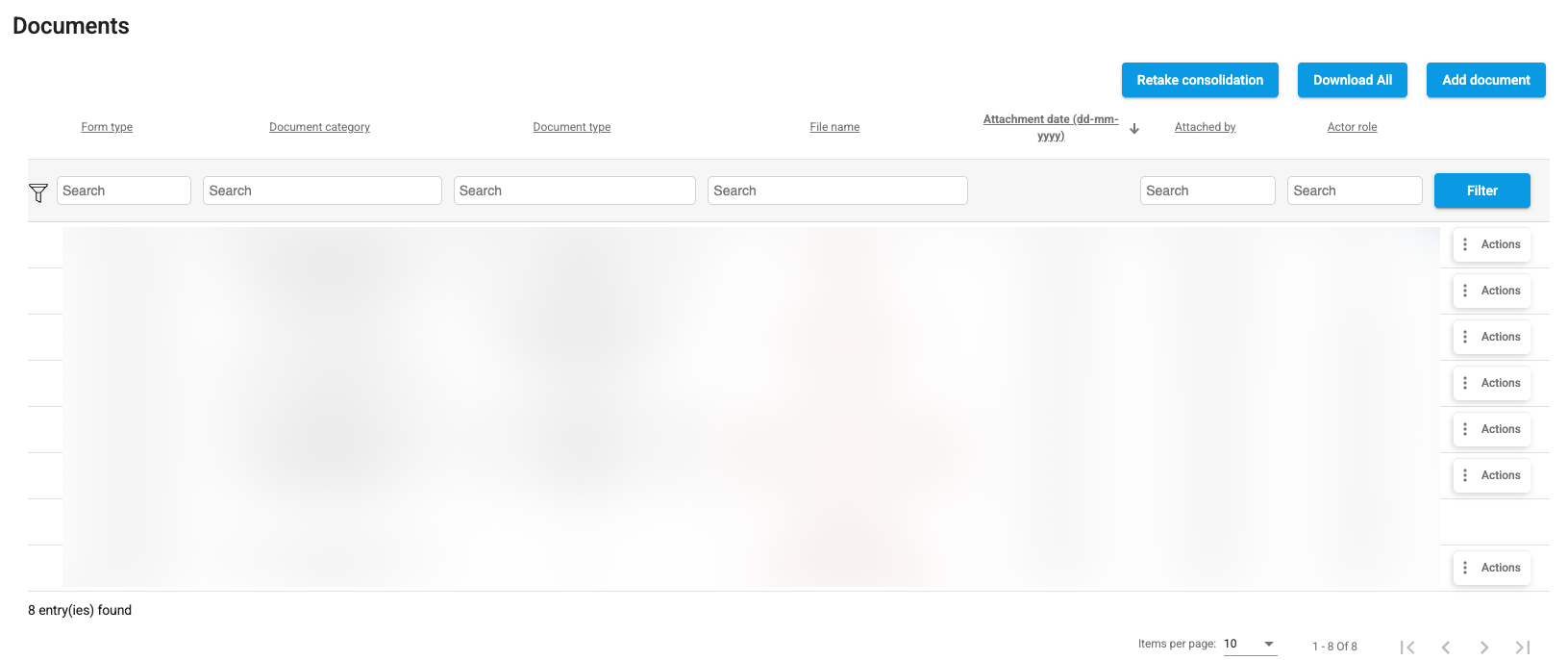
As part of the ACL Management implementation, the document listing component has been completely redesigned and is now used consistently across the entire platform.
The new document grid provides a unified user experience for viewing, filtering, and managing documents while fully supporting Access Control List (ACL) rules. Users only see documents they are authorized to access based on their assigned roles and permissions.
The document grid now enforces document-level security through ACLs, ensuring that document visibility and available actions are aligned with the user's permissions.
A single document component is now used throughout the platform, providing:
Document blocks have been redesigned to support more granular client-specific configurations.
eVision can now define document requirements and behaviors with greater precision, allowing the platform to better accommodate unique business processes, programs, and customer requirements.
Examples of configurable elements include:
This enhanced flexibility allows organizations to tailor document management to their operational needs while maintaining a consistent user experience across the platform.