

| # | Action | Screen |
|---|---|---|
| 1 | In the Log-In screen Applicant selects the "Forgot Password?" Button | 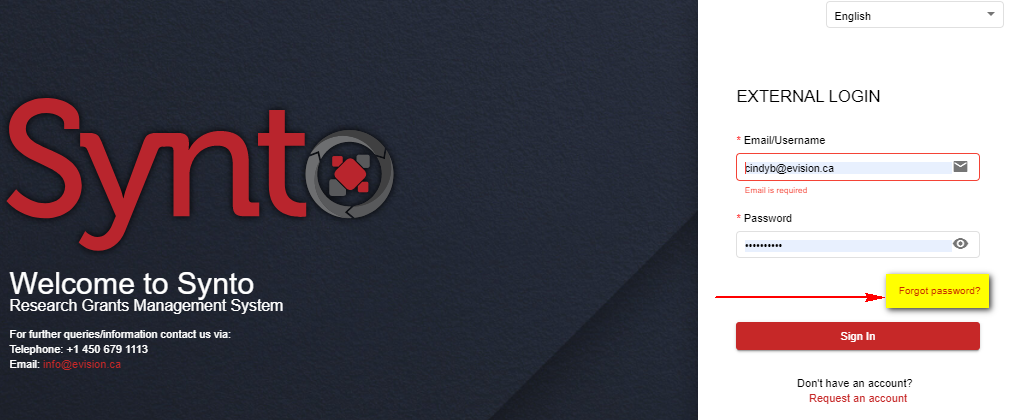 |
| 2 | System opens the "Recover Your Password" page
| 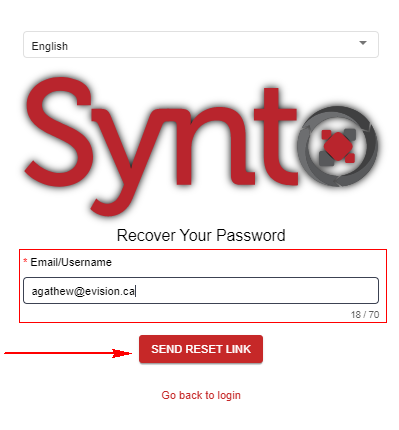 |
| 3 | System validates credentials and generates success message |  |
| 4 | Applicant navigates to their email account and selects recovery email, selects link inside | |
| 5 | System brings applicant to Recover Your Password Screen
| 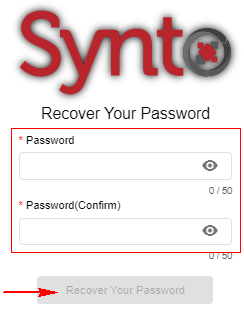 |
| 6 | System updates password and brings applicant to Log-In screen |  |