...
- Documents may take up to 5 minutes to appear in search results after being uploaded or modified.
- Searches using User Account (Email) and Person Name may require additional processing time.
- Using multiple search criteria can help narrow down results and improve search accuracy.
Search Results
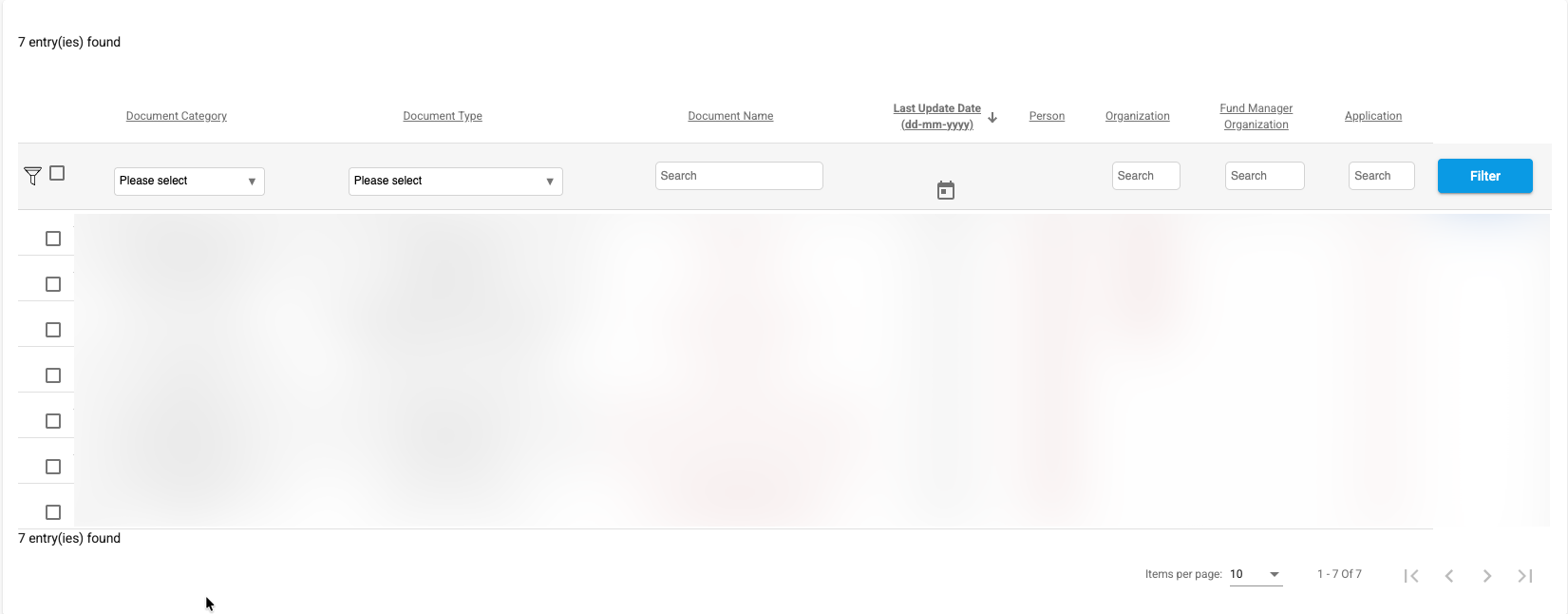
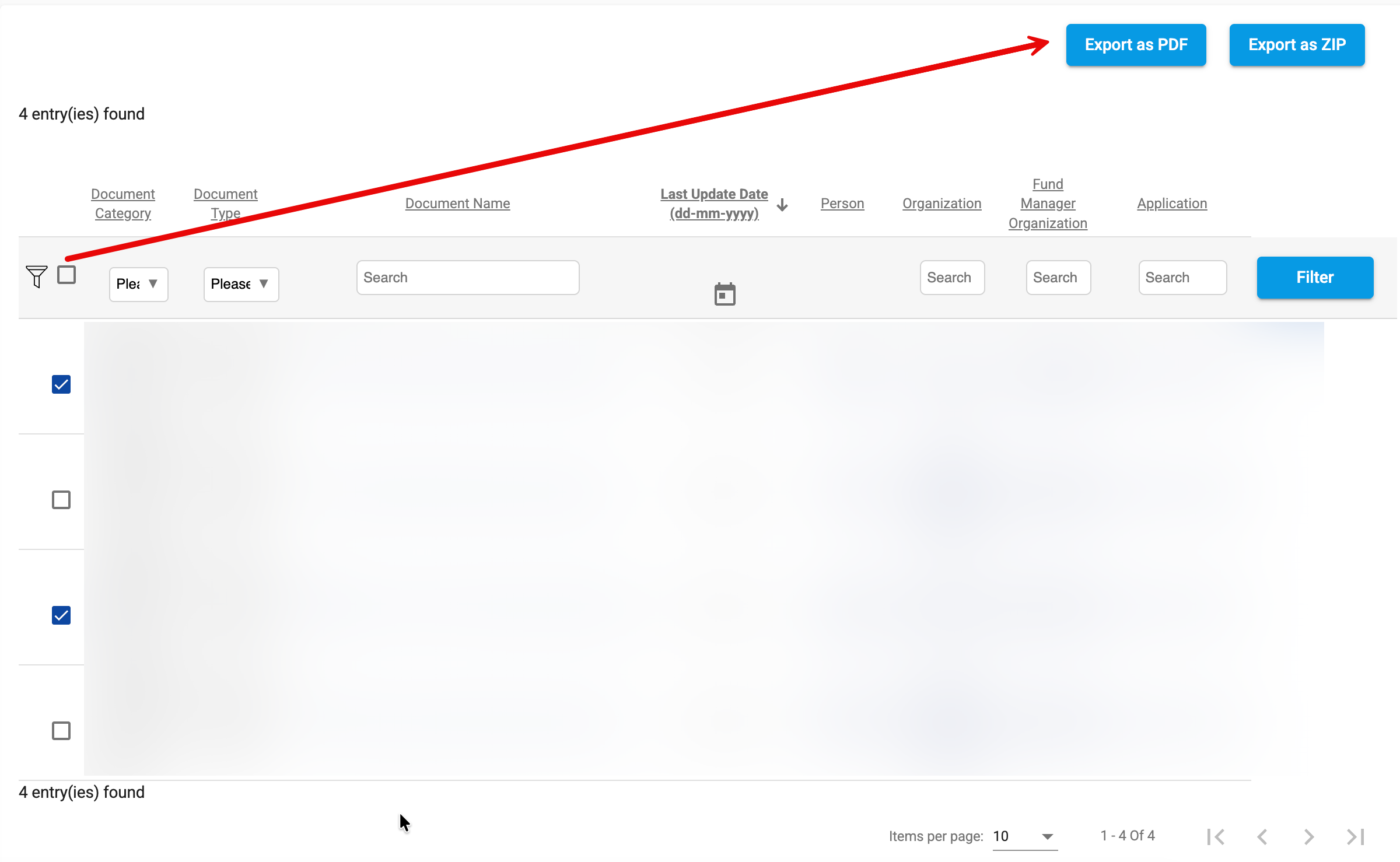
Search results are displayed in a tabular format and provide key information about each document, including:
...
Search results also support sorting, filtering, and pagination to facilitate navigation through large result sets.
Export Options
Search results support exporting selected documents in either PDF or ZIP format.
PDF Export
The PDF export option attempts to merge the selected documents into a single PDF file. This functionality is intended for smaller document sets.
Important Notes:
- Merging more than 10 documents into a single PDF may not always succeed.
- The actual limit varies depending on the size, complexity, and content of the selected files.
- Consolidated documents can significantly increase processing requirements because they often already contain multiple merged documents.
- For example, attempting to merge 90 documents into a single PDF is likely to exceed the system’s processing capabilities.
- Testing has shown that PDF exports of approximately 30 documents may succeed depending on the document types and content involved.
- Improvements to the PDF merge process are planned for future releases.
ZIP Export
For large document selections, the ZIP export option is recommended.
ZIP exports package the selected files without attempting to merge them, providing a more reliable solution for high-volume document extractions and avoiding the limitations associated with PDF concatenation.
As a best practice, use ZIP export whenever a large number of documents or consolidated documents are selected.
Enhanced Document Management Module
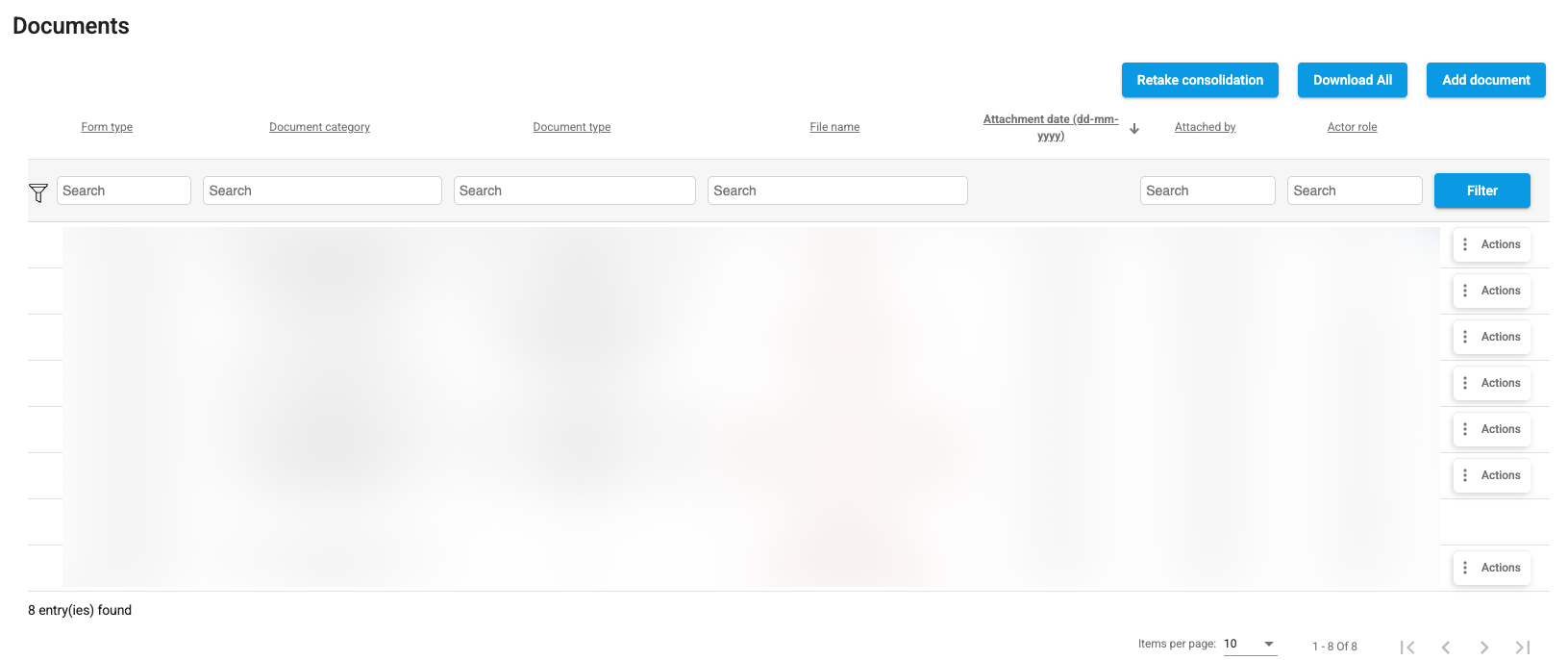
As part of the ACL Management implementation, the document listing component has been completely redesigned and is now used consistently across the entire platform.
The new document grid provides a unified user experience for viewing, filtering, and managing documents while fully supporting Access Control List (ACL) rules. Users only see documents they are authorized to access based on their assigned roles and permissions.
Key Improvements
ACL-Aware Document Display
The document grid now enforces document-level security through ACLs, ensuring that document visibility and available actions are aligned with the user's permissions.
Standardized Document Management
A single document component is now used throughout the platform, providing:
- Consistent document presentation.
- Advanced filtering and sorting capabilities.
- Standardized document actions.
- Improved maintainability and user experience.
Enhanced Document Block Configuration
Document blocks have been redesigned to support more granular client-specific configurations.
eVision can now define document requirements and behaviors with greater precision, allowing the platform to better accommodate unique business processes, programs, and customer requirements.
Examples of configurable elements include:
- Available document categories and types.
- Role-specific document visibility.
- Upload permissions.
- Required versus optional documents.
- Client-specific document workflows and validation rules.
This enhanced flexibility allows organizations to tailor document management to their operational needs while maintaining a consistent user experience across the platform.